
Case study: Effect of ICT on employement
The personal computer (PC) was developed in the early 1980s. Before this date, computers were huge, expensive machines that only a few, large businesses owned. Now PCs are found on almost every desk in every office, all over the world.Because companies now have access to so much cheap, reliable computing power, they have changed the way they are organised and the way they operate. As a result, many people’s jobs have changed.
Areas of Increased Unemployment
Some jobs have been lost as a result of computers being used to do the same work that people used to do.Some examples of areas have suffered job losses:
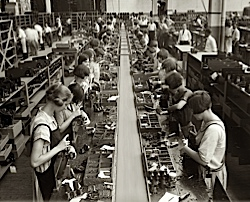 Manufacturing
Many factories now have fully automated production lines. Instead of using people to build things, computer-controlled robots are used. Robots can run day and night, never needing a break, and don’t need to be paid! (Although the robots cost a lot to purchase, in the long-term the factory saves money.)
 Secretarial Work
Offices used to employee many secretaries to produce the documents required for the business to run. Now people have personal computers, they tend to type and print their own documents.
 Accounting Clerks
Companies once had large departments full of people whose job it was to do calculations(e.g. profit, loss, billing, etc.) A personal computer running a spreadsheetcan now do the same work.
Newspaper Printing
It used to take a team of highly skilledprinters to typeset (layout) a newspaper page and to then print thousands of newspapers.
The same task can now be performed far morequickly using computers with DTP software and computer-controlled printing presses.
Areas of Increased Employment
Although many employment areas have suffered job losses, other areas have grown and jobs have been created.Sometimes people who have lost their old job have been able to re-trainand get a new job in one of these growth areas.
Some examples of areas where jobs have been created:
IT Technicians
All of the computers in a business need to be maintained: hardware fixed, software installed, etc.IT technicians do this work.
Computer Programmers
All of the software that is now used by businesses has to be created by computer programmers.Hundreds of thousands of people are now employed in the 'software industry'
Web Designers
Much of modern business is conducted on-line, and company websites are very important.Company websites need to be designed and built which is the role of web designers.
Help-Desk Staff
People often need help using computers, and software applications.Computer and software company have help-desks staffed by trained operators who can give advice.
Computerising the Workplace - Good or Bad?
As you have seen above, many jobs have changed over the past 30 years. But overall, is this a good thing, or a bad thing? It depends who you ask of course - If someone has lost their job because the work is now being done by a computer, that person will probably see it as a bad thing!But, on the whole, the computerisation of repetitive, menial tasks (such as working on a factory production line, or calculating endless financial results) has freed people to do more pleasant, less dangerous jobs.
The digital divide or information literacy

Define the digital divide:
The term 'digital divide' describes the fact that the world can be divided into people who do and people who don't have access to - and the capability to use - modern information technology, such as the telephone, television, or the Internet. The digital divide exists between those in cities and those in rural areas. For example, a 1999 study showed that 86% of Internet delivery was to the 20 largest cities. The digital divide also exists between the educated and the uneducated, between economic classes, and, globally, between the more and less industrially developed nations.The main effects of digital divide on society:
- Poorer countries do not benefit because they cannot afford the initial start up cost in order to invest in technology. The richer countries therefore have a competitive and economic advantage. This makes those without communication technology have limited access to power and influence.
- not being able to access or use such technology can make a person become an outcast of society in today’s life.
- Schools and students who don't have ICT technologies can't compete with others that can, which can effect teaching levels and literacy.
- Older generations face great difficulties connecting with the younger ones, therefore creating an age group gap.
A real case study on bridging the digital divide gap:
Our school have tried their best to try to bridge the digital divide gap between each teacher, as they have made alot of workshops to teach the use of ict, teachers that used to know nothing about ict now know the importance of it and how to teach using ict, and so it improved alot of teaching skills in our school.
Online services and health and safety

Health issues :


Safety issues :
Solution:
1. Avoid overloading the sockets
2. Electrical equipment's should be placed away from water supplies
3. The workers should have a background on knowledge of electrical safety
4. Disallow drinks near the electrical equipment's


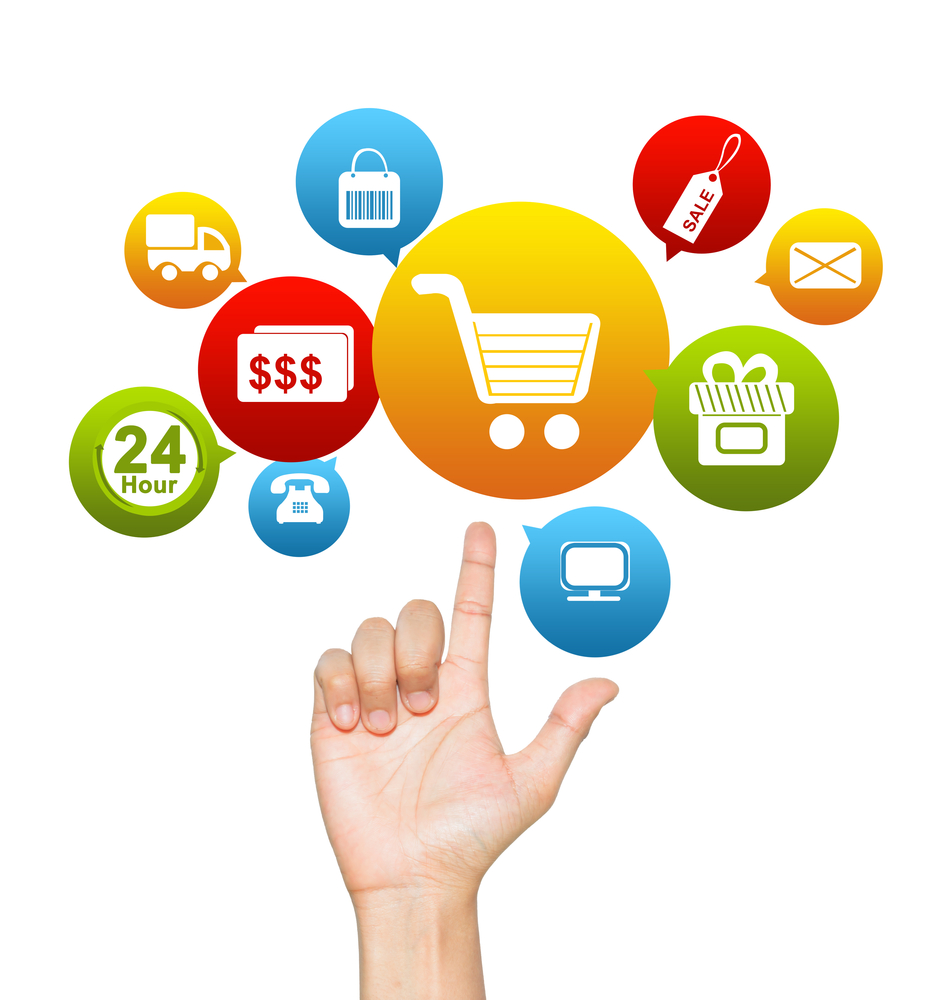
The act of purchasing products or survives over the Internet. Online shopping has grown in popularity over the years, mainly because people find it convenient and easy to bargain shop from the comfort of their home or office.

 1. Shopping cart: the online shopper adds purchase items to a shopping cart, effectively the online equivalent of a high street store shopping basket. It's worth noting that some websites don't choose to include a shopping cart - for example if they sell only one product.
2. Checkout: When ready to pay, the shopper heads to checkout. Product information in their shopping cart generates what is called a 'purchase description' that is sent to a Payment Gateway - such as WorldPay - to securely process the payment.
3. Payment Gateway: The shopper is directed to the Payment Gateway where they choose a payment method and enter payment details.
4. Transaction: The Payment Gateway pairs the shopper's payment details with the purchase description from the shopping cart to produce a 'transaction'.
5. Authorisation: The Payment Gateway encrypts and sends transaction details to the shopper's card issuer for authorisation. Card issuer authorises or declines the transaction.
6. Confirmation: The Payment Gateway notifies the shopper and the e-business that the order has been completed - normally via a confirmation screen and an email.
7. Merchant Account: The Payment Gateway receives the purchase amount from the shopper's card issuer, and sends it to the business's Merchant Account. This can take 1-2 days.
8. Bank account: From the Merchant Account, the funds are paid into the business's standard bank account, normally with a short delay that's specified by the Merchant Account provider.

The major threats of e-commerce include; unauthorized access by fraudsters, sale of fake products, and impersonation among others. However, these can be prevented through usage of authenticated and encrypted internet connections.




It is checking that the new system meets all expectations.
The systems analyst will use the checklist of targets to check the new system. Going through therequirements one-by-one the analyst will check if they have been met.

The systems analyst can get this feedback in the same way they collected information about the original system :

A test plan is usually written whilst the system is being developed. The test plan will contain details of every single thing that needs to be tested.
Test plans are very detailed, and contain many tests. Each test is specified very precisely.
If any failures are found, the systems analyst goes back and does some further research, analysis and design to fix these areas.


Advertising has evolved into a vastly complex form of communication, with literally thousands of different ways for a business to get a message to the consumer. It could be said that cave paintings in some way represented the first forms of advertising, although the earliest recognized version of what we know as advertising was done on papyrus by the Egyptians. And in Pompeii, the ruins suggest that advertising was commonplace.
However, today the advertiser has a vast array of choices. The Internet alone provides many of these, with the advent of branded viral videos, banners, advertorials, sponsored websites, branded chat rooms and so much more.
Examples :

Example :

Example :
Examples :
Example :


As you have seen above, many jobs have changed over the past 30 years. But overall, is this a good thing, or a bad thing? It depends who you ask of course - If someone has lost their job because the work is now being done by a computer, that person will probably see it as a bad thing!
But, on the whole, the computerisation of repetitive, menial tasks (such as working on a factory production line, or calculating endless financial results) has freed people to do more pleasant, less dangerous jobs.
There are downsides though. Many people can now access their office network from home via The Internet. This means they can work from home (remote working) which sounds pretty nice. However it often results in people working longer hours and missing out on home life.
Some jobs have been lost as a result of computers being used to do the same work that people used to do.
Some examples of areas have suffered job losses:-
Many factories now have fully automated production lines. Instead of using people to build things, computer-controlled robots are used.
Robots can run day and night, never needing a break, and don’t need to be paid! (Although the robots cost a lot to purchase, in the long-term the factory saves money.)
Offices used to employee many secretaries to produce the documents required for the business to run.
Now people have personal computers, they tend to type and print their own documents.
Companies once had large departments full of people whose job it was to do calculations(e.g. profit, loss, billing, etc.)
A personal computer running a spreadsheet can now do the same work.
It used to take a team of highly skilledprinters to typeset (layout) a newspaper page and to then print thousands of newspapers.
The same task can now be performed far morequickly using computers with DTP software and computer-controlled printing presses.

Air conditioning is the process of altering the properties of air (primarily temperature and humidity) to more favorable conditions. More generally, air conditioning can refer to any form of technological cooling, heating, ventilation, or disinfection that modifies the condition of air.
Central heating differs from local heating in that the heat generation occurs in one place, such as a furnace room in a house or a mechanical room in a large building (though not necessarily at the "central" geometric point). The most common method of heat generation involves the combustion of fossil fuel in a furnace or boiler. The resultant heat then gets distributed: typically byforced-air through ductwork, by water circulating through pipes, or by steam fed through pipes. Increasingly, buildings utilize solar-powered heat sources, in which case the distribution system normally uses water circulation.
In much of the temperate climate zone, most new housing has come with central heating installed since the Second World War, at least. Such areas normally use gas heaters, district heating, or oil-fired system, often using forced-air systems. Steam-heating systems, fired by coal, oil or gas, are also used, primarily for larger buildings. Electrical heating systems occur less commonly and are practical only with low-cost electricity or when ground source heat pumps are used. Considering the combined system of central generating plant and electric resistance heating, the overall efficiency will be less than for direct use of fossil fuel for space heating.
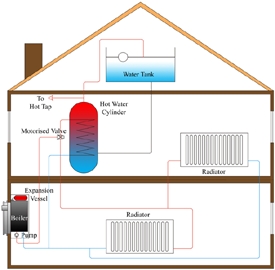
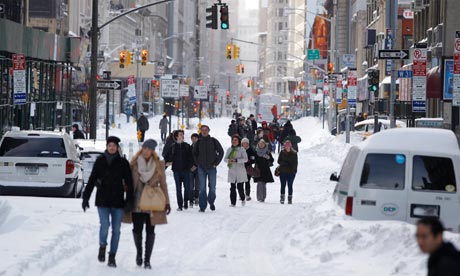
For example, places like New York where it snows regularly, the city has central heating systems which provide warmth to the whole interior of a building or a room by using 3 ways; wet systems, warm air systems, and storage heater systems.
The ICT part of this is that when the thermostat detects a drop in temperature, it signals to the heater to start turning it up automatically, and the heat then radiates through out the place.
The most common manufacturing robot is the robotic arm. A typical robotic arm is made up of seven metal segments, joined by six joints. The computer controls the robot by rotating individual step motors connected to each joint (some larger arms use hydraulics or pneumatics). Unlike ordinary motors, step motors move in exact increments (check out Anaheim Automation to find out how). This allows the computer to move the arm very precisely, repeating exactly the same movement over and over again. The robot uses motion sensors to make sure it moves just the right amount.
An industrial robot with six joints closely resembles a human arm -- it has the equivalent of a shoulder, an elbow and a wrist. Typically, the shoulder is mounted to a stationary base structure rather than to a movable body. This type of robot has six degrees of freedom, meaning it can pivot in six different ways. A human arm, by comparison, has seven degrees of freedom.

The information can be portable if on a laptop.
The information is easy to access at any time.
It's more easily retrievable.
Improved data security.
Initial training required for all programmers and users.
Suitable hardware and software start-up costs.
A longer running time for individual applications.
 Retina Scanner - These biometric devices scan the unique
biometric pattern in each person’s iris, and match it against a certain number
of unique identifying marks that set every person apart from everyone else.
Iris scanning and retinal scanning are both used to identify a person according
to their unique biometric pattern, but they tend to be far costlier and more
complex.
Retina Scanner - These biometric devices scan the unique
biometric pattern in each person’s iris, and match it against a certain number
of unique identifying marks that set every person apart from everyone else.
Iris scanning and retinal scanning are both used to identify a person according
to their unique biometric pattern, but they tend to be far costlier and more
complex.
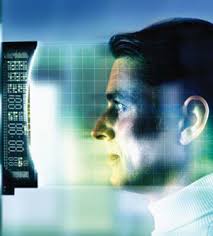 Facial Biometrics - Each person around the world has a distinctly unique
face, even two twins that the human eye cannot tell apart. It may be something
as small as the slightly different placing of the eyebrows, the width of the
eyes, or the breadth of the nose. There are certain markers that enable these
recognition scanners to instantly identify the uniqueness of each person
scanning their facial features, thus enabling the device to ensure that only
the single person with the correct bone structure and feature placement can
gain access.
Facial Biometrics - Each person around the world has a distinctly unique
face, even two twins that the human eye cannot tell apart. It may be something
as small as the slightly different placing of the eyebrows, the width of the
eyes, or the breadth of the nose. There are certain markers that enable these
recognition scanners to instantly identify the uniqueness of each person
scanning their facial features, thus enabling the device to ensure that only
the single person with the correct bone structure and feature placement can
gain access.


.jpg)


1. Avoid overloading the sockets
2. Electrical equipment's should be placed away from water supplies
3. The workers should have a background on knowledge of electrical safety
4. Disallow drinks near the electrical equipment's
- Fire: It is happens when a computer over-heat or a wire fray.
Solution:
1. Always place carbon dioxide fire extinguishers in the rooms/offices.
2. Fire exists must be clear.
3. Water supplies must be far from the electrical equipment's.
Solution:
1. Always place carbon dioxide fire extinguishers in the rooms/offices.
2. Fire exists must be clear.
3. Water supplies must be far from the electrical equipment's.
- Tripping hazards – When the wires and cables are lying around, people can trip over them.
Solution:
1. Cabling must not trail on the floor.
2. Additional equipment's must be placed in the store or any place that it will not result in trailing cables.·
- Danger caused by heavy equipment falling
Solution:
1. Make sure that the benches can withstand high weight.
Solution:
1. Make sure that the benches can withstand high weight.
Data Security and legal issues
What is the data protection act ?
The Data Protection Act controls how your personal information is used by organizations businesses or the government.
The Data Protection Act controls how your personal information is used by organizations businesses or the government.
Everyone who is responsible for using data has to follow strict rules called ‘data protection principles’. They must make sure the information is:
- used fairly and lawfully
- used for limited, specifically stated purposes
- used in a way that is adequate, relevant and not excessive
- accurate
- kept for no longer than is absolutely necessary
- handled according to people’s data protection rights
- kept safe and secure
- not transferred outside the UK without adequate protection
- ethnic background
- political opinions
- religious beliefs
- health
- sexual health
- criminal records
There is stronger legal protection for more sensitive information, such as:
- ethnic background
- political opinions
- religious beliefs
- health
- sexual health
- criminal records
Who is the information commissioner ?

The Information Commissioner's Office (ICO) in the United Kingdom, is a non-departmental public body which reports directly to Parliament and is sponsored by the Ministry of Justice. It is the independent regulatory office dealing with the Data Protection.
Who is the data controller ?
The Data Controller is a person who (either alone or jointly or in common with other persons determines the purposes for which and the manner in which any personal data are, or are to be, processed.
Who are the data subject ?
The data subjects are safeguarded by a general right, which is that the EU institutions and bodies must process their personal data fairly and lawfully, and only for legitimate purposes.
Who are the data users ?
The data subjects are safeguarded by a general right, which is that the EU institutions and bodies must process their personal data fairly and lawfully, and only for legitimate purposes.
What is personal data ?
"Personally identifiable information" (PII), as used in US privacy law and information security, is information that can be used on its own or with other information to identify, contact, or locate a single person, or to identify an individual in context. The abbreviation PII is widely accepted in the US context, but the phrase it abbreviates has four common variants based on personal /personally, and identifiable / identifying. Not all are equivalent, and for legal purposes the effective definitions vary depending on the jurisdiction and the purposes for which the term is being used.
Computer misuse act
The Computer Misuse Act 1990 was designed to protect the integrity of computer systems by deterring the activities of hackers. It created three new offenses :
1- be obtained and processed fairly and lawfully2- be held only for the lawful purposes described in the register entry3- be used only for those purposes and only be disclosed to those people in the register entry4- be adequate, relevant and not excessive in relation to the purpose for which they are held5- be accurate and, where necessary, kept up to date6- be held no longer than is necessary for the registered purpose7- be surrounded by proper security.8- additionally an individual shall be entitled to access, have corrected, or have erased, data held about him by a data user.
Online services and security and privacy of data
Confidentiality and data protection :
Encryption - confidentiality is maintained through encryption of the data after it is processed.
Shop security :
For online payment and code services, public key systems are used to ensure the protection of data.
Online Banking :
The data is protected by three methods:
- Transaction numbers (TANs) : it is defined as one-time passwords.
- Entering parts of the passwords: The user is asked to fill in only parts of his/hers password.
- Chip and Pin devices: It is a method to ensure that the data entered is correct.
Online shopping :
the customer should make sure that the data is being transmitted using either the secure socket layer (S.S.L.) or transport layer security (T.L.S.) protocols which are used in the encryption of messages between a client computer and a server.
Online services :
What is online services?
An online service refers to any information and services provided over the Internet. These services not only allow subscribers to communicate with each other, but they also provide unlimited access to information. Online services can range from simple to complex. A basic online service may help subscribers gain needed data through a search engine, while a complex one might be an online mortgage application from a bank. Online services may be free or paid.
The effect of online services :
These services can harm the society and user; as they promote unhealthy living and can cause health problems, but they also benefit the user in many ways, including:
1- reducing costs and expences.
2- reducing the amount of wasted time.
3- reducing waste products (pollution).
2- reducing the amount of wasted time.
3- reducing waste products (pollution).
Online shopping :
Definition
The Pros & Cons of Online shopping for Both businesses and customers
Business:
Pros:
- Having customers from all over the world (large number of customers)
- Less communication problems.
- No need for renting a shop.
- No robbery.
- Always open.
Cons:
- Small number of online buyers.
- it's a competitive market.
- it is easy to get distracted.
Customers:
Pros:
- Wide range of prices.
- Different kind of products from all over the world.
- Less time is wasted in shopping online rather than going to the shop.
Cons:
- Many security issues.
- customer cannot see the quality of the product.
- customer cannot try clothes on.
How online shopping operates?
2. Checkout: When ready to pay, the shopper heads to checkout. Product information in their shopping cart generates what is called a 'purchase description' that is sent to a Payment Gateway - such as WorldPay - to securely process the payment.
3. Payment Gateway: The shopper is directed to the Payment Gateway where they choose a payment method and enter payment details.
4. Transaction: The Payment Gateway pairs the shopper's payment details with the purchase description from the shopping cart to produce a 'transaction'.
5. Authorisation: The Payment Gateway encrypts and sends transaction details to the shopper's card issuer for authorisation. Card issuer authorises or declines the transaction.
6. Confirmation: The Payment Gateway notifies the shopper and the e-business that the order has been completed - normally via a confirmation screen and an email.
7. Merchant Account: The Payment Gateway receives the purchase amount from the shopper's card issuer, and sends it to the business's Merchant Account. This can take 1-2 days.
8. Bank account: From the Merchant Account, the funds are paid into the business's standard bank account, normally with a short delay that's specified by the Merchant Account provider.
Security issues of online shopping :
We did the magazine according to this flowchart :

Our magazine :


Spreadsheets
What is Spreadsheet modelling ?
Spreadsheet modeling is a computer program that allows you to create, edit and maintain a data in a system. it gives you an output depending on an input that was inserted and displaying this data in a pleasing and easy way.
List three uses of Spreadsheets.
- Producing graphs and charts from the data you input into the different cells.
- Calculating financial losses, gains, profits, etc in business and companies.
- Solving equations easily and briefly in a correct manner.
What does CSV. file stands for ?
CSV stands for: Comma Separated Value
Value of Honesty
Honesty
is one of the treasured values of human being. Living life honestly means
opening oneself freely and exposing one's true self to others. Honesty is
essential because it acts as the glue holding people together. Moreover, honesty
helps a person to conquer problems and excel in his life. However, is this
always right to tell truth?
First
of all, honesty is the foundation upon which a person builds any relationship
with his loved ones such as family or friends. By being honest to his loved
ones, he will make them feel that they are trustworthy and closed enough for
him to totally expose his true self. Thus, they are more assured that he values
them and their relationship. The sweetness in the relationship, therefore, is
more likely to remain. In contrast, a person will endanger his relationship
with others even if he tells lies just for once. For example, a child tells his
mother that he will go to the library to study. However, he ends up going to a
friend's party and gets caught by his mother. It is understandable that after
the incident, the mother will not trust her son as much as before and doubt
what he says later. Thus, it may lead to unavoidable misunderstanding and
argument. Eventually, the closed relationship might be threatened. Honest
produces trust which is needed for a relationship to be sustained. It is
inevitably that people have a tendency of relying on an honest person.
In Short :
Why is Honesty an important Value?
honesty is the truthfulness or sincerity in action and speech. Honest is an important value because it shows courage, it means being authentic, it shows that someone cares and it illustrated maturity. Honesty also form a circle of love, it creates a connection between people and it keeps you out of trouble.
Calculating ISBN number
The ISBN (International Standard Book Number) is a unique number assigned to a book title by its publisher for tracking and ordering purposes.
Publishers, retailers, libraries, and readers use the ISBN as a way to specify a particular book without confusion.
We can check if they are correct by multiplying each digit by 1/3 alternating between each number except the last number.
For example, the ISBN-13 check digit of 978-0-306-40615-? is calculated as follows:
s = 9×1 + 7×3 + 8×1 + 0×3 + 3×1 + 0×3 + 6×1 + 4×3 + 0×1 + 6×3 + 1×1 + 5×3
= 9 + 21 + 8 + 0 + 3 + 0 + 6 + 12 + 0 + 18 + 1 + 15
= 93
93 / 10 = 9 remainder 3
10 – 3 = 7
Therefore, we now know that the last digit is 7.
Evaluation
Once the new system has been implemented and is in full use, the system should be evaluated (this means that we take a long, critical look at it).
The purpose of an evaluation is to assess the system to see if it does what it was supposed to do, that it is working well, and that everyone is happy with it.
The purpose of an evaluation is to assess the system to see if it does what it was supposed to do, that it is working well, and that everyone is happy with it.
How is a System Evaluated?
The systems analyst will use a number of techniques to evaluate the system :
- Check against the requirements Specification :
The systems analyst will use the checklist of targets to check the new system. Going through therequirements one-by-one the analyst will check if they have been met.2. Check the users responses :
- Questionnaires
- Interviews
- Observations
Identifying limitations of the system :
The outcome of the evaluation will be to identify any limitations or problems with the new system.Making improvements to the system :
The system analyst will then need to begin the task of system analysis from the beginning, but this time analysing the new system, and then designing, testing and implementing improvements.
Documentation
It is creating documents that describe how to use the new systems, and how it works.There are two types of documentation that should be produced when creating a new system:
- User documentation :
The user documentation is intended to help the users of the system.
The users are usually non-technical people, who don't need to know how the system works. They just need to know how to use it.
User documentation usually includes :
- List of minimum hardware and software required to use the system
- How to install the system
- How to start / stop the system
- How to use the features of the system
- Screenshots showing the system in typical use
- Example inputs and outputs
- Explanations of any error messages that might be shown
- A troubleshooting guide
The users are usually non-technical people, who don't need to know how the system works. They just need to know how to use it.
User documentation usually includes :
- List of minimum hardware and software required to use the system
- How to install the system
- How to start / stop the system
- How to use the features of the system
- Screenshots showing the system in typical use
- Example inputs and outputs
- Explanations of any error messages that might be shown
- A troubleshooting guide
2. Technical documentation :
The technical documentation is intended to help the maintainers of the system (the people who need to keep the system running smoothly, fix problems, etc.)
The maintainers are usually technical people, who need to know exactlyhow the system works.
Technical documentation usually includes :
The maintainers are usually technical people, who need to know exactlyhow the system works.
Technical documentation usually includes :
- Details of the hardware and software required for the system
- Details of data structures (data types, field names, etc.)
- Details of expected inputs
- Details of validation checks
- Details of how data is processed
- Diagrams showing how data moves through the system
- Flowcharts describing how the system works
Implementation

Development and testing
testing the system is checking if the newly created system works as expected.
Once the system has been created, it needs to be thoroughly tested.A test plan is usually written whilst the system is being developed. The test plan will contain details of every single thing that needs to be tested.
Test plans are very detailed, and contain many tests. Each test is specified very precisely.
A typical test would contain:
- Details of what is being tested.
- The test data to use.
- What is expected to happen when the test is performed.
When is the System Tested?
Testing is normally done in two stages..- The first phase of testing is done by the designers and engineers who created the system, usually before the system is delivered to the customer.
- The second phase of testing is done after the system has been delivered and installed with the customer.
What Happens if the System Fails Some Tests?
The whole point of testing is to try and find areas that don't work as they should, or areas that can be improved.If any failures are found, the systems analyst goes back and does some further research, analysis and design to fix these areas.
Designing stage in system analysis
What factors should a system analyst consider when designing an input and output ( screen & forms) ?
The system analyst must consider these factors :
- The fashion of the screen is easy to use.
- It must be attractive.
- It shouldn't contain over elaborate design.
- Must contain guidelines.
- it should be brief while also supplying the reader with all necessary information.
System analysis
The systems that we are talking about are the systems within organisations and businesses - systems of communication, financial systems, manufacturing systems, etc. - basically the systems that make the organisation or business work.
A person who analyses systems is known as a Systems Analyst.
Often systems analysts are employed by organisations of businesses to help them improve their systems and so become more efficient, and for businesses, more profitable.
A person who analyses systems is known as a Systems Analyst.
Often systems analysts are employed by organisations of businesses to help them improve their systems and so become more efficient, and for businesses, more profitable.
The system analysis involves the following data in detail :
- Collecting information on how the existing system work, in various ways such as :
- Examination of documents.
- interviews.
- observation.
- questionnaires.
2. Establishing inputs, outputs and processing.
3. Recording information, for example in the data flow diagram.
4. Identifying problems.
System Flow Chart :

Online Shopping!
What are the steps to Shop online ?
- Deciding which online shop to use.
- Make sure the shopping site's shopping system is secure
- Browsing product categories.
- Using the virtual shopping basket.
- Fill the form, and print the receipt.
- Wait for the item to be delivered.
Advantages of Online shopping:
- Infinite choice.
- You can get cash back when you shop at some online stores.
- Lower prices.
- Fast and easy.
- Convenience.
- Available for 24/7.
- Price Flexibility.
Disadvantages of Online shopping :
- Privacy and security.
- Delivery Risk.
- You can't try things on.
- Quality of the item.
- Shipping charges and delays.
Method of Advertising


Advertising has evolved into a vastly complex form of communication, with literally thousands of different ways for a business to get a message to the consumer. It could be said that cave paintings in some way represented the first forms of advertising, although the earliest recognized version of what we know as advertising was done on papyrus by the Egyptians. And in Pompeii, the ruins suggest that advertising was commonplace.
However, today the advertiser has a vast array of choices. The Internet alone provides many of these, with the advent of branded viral videos, banners, advertorials, sponsored websites, branded chat rooms and so much more.
Print Advertising :
If an advertisement is printed on paper, be it newspapers, magazines, newsletters, booklets, flyers, direct mail, or anything else that would be considered a portable printed medium, then it comes under the banner of print advertising.Examples :

Broadcast Advertising :
A mass-market form of communication including television and radio, broadcast advertising has, until recently, been the most dominant way to reach a large number of consumers.Example :
Outdoor Advertising :
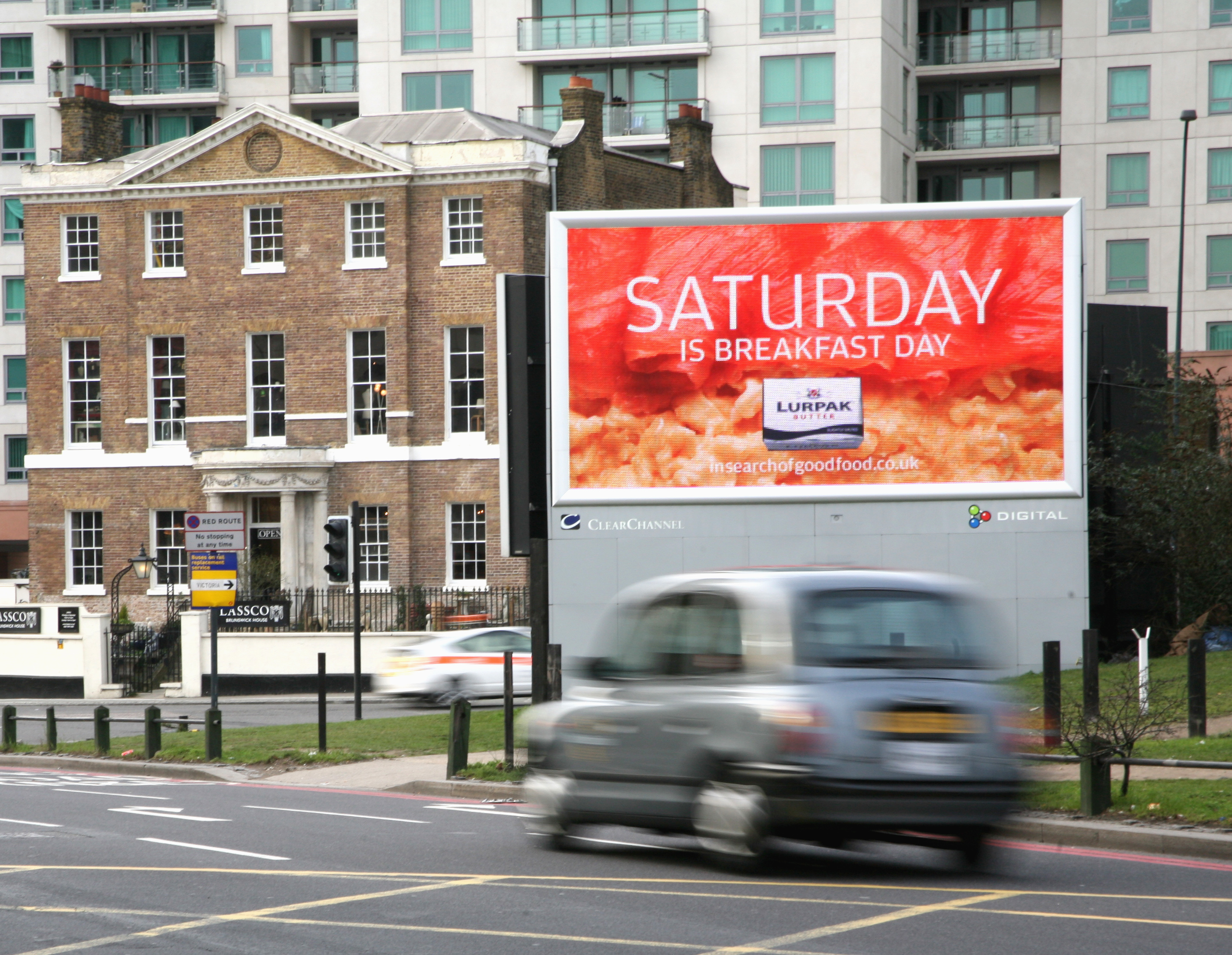
Also known as out-of-home (OOH) advertising, this is a broad term that describes any type of advertising that reaches the consumer when he or she is outside of the home.Example :
Cell Phone & Mobile Advertising :
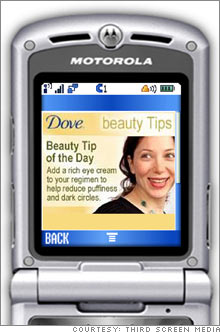
A relatively new form of advertising, but one that's spreading rapidly, uses cell phones, iPads, Kindles, Nooks, and other portable electronic devices with Internet connectivity. Current trends in mobile advertising involve major use of social media such as Twitter and Facebook.Examples :
Online Advertising :
If you see an advertisement via the Internet (World Wide Web), then it is classified as online advertising. In fact, there are ads on this very page, and most other websites you visit, as they are the primary revenue driver for the Internet. Learn more about this vital part of the Internet.Example :
The effect of ict in work life
But, on the whole, the computerisation of repetitive, menial tasks (such as working on a factory production line, or calculating endless financial results) has freed people to do more pleasant, less dangerous jobs.
There are downsides though. Many people can now access their office network from home via The Internet. This means they can work from home (remote working) which sounds pretty nice. However it often results in people working longer hours and missing out on home life.
Some examples of areas have suffered job losses:-
- Manufacturing :
Robots can run day and night, never needing a break, and don’t need to be paid! (Although the robots cost a lot to purchase, in the long-term the factory saves money.)
- Secretarial Work :
Now people have personal computers, they tend to type and print their own documents.
- Accounting Clerks :
Companies once had large departments full of people whose job it was to do calculations(e.g. profit, loss, billing, etc.) A personal computer running a spreadsheet can now do the same work.
- Newspaper Printing :
It used to take a team of highly skilledprinters to typeset (layout) a newspaper page and to then print thousands of newspapers.
The same task can now be performed far morequickly using computers with DTP software and computer-controlled printing presses.
Air Conditioning
Central Heating System
A central heating system provides warmth to the whole interior of a building (or portion of a building) from one point to multiple rooms. When combined with other systems in order to control the building climate, the whole system may be an HVAC (heating, ventilation and air conditioning) system.Central heating differs from local heating in that the heat generation occurs in one place, such as a furnace room in a house or a mechanical room in a large building (though not necessarily at the "central" geometric point). The most common method of heat generation involves the combustion of fossil fuel in a furnace or boiler. The resultant heat then gets distributed: typically byforced-air through ductwork, by water circulating through pipes, or by steam fed through pipes. Increasingly, buildings utilize solar-powered heat sources, in which case the distribution system normally uses water circulation.
In much of the temperate climate zone, most new housing has come with central heating installed since the Second World War, at least. Such areas normally use gas heaters, district heating, or oil-fired system, often using forced-air systems. Steam-heating systems, fired by coal, oil or gas, are also used, primarily for larger buildings. Electrical heating systems occur less commonly and are practical only with low-cost electricity or when ground source heat pumps are used. Considering the combined system of central generating plant and electric resistance heating, the overall efficiency will be less than for direct use of fossil fuel for space heating.
The ICT part of this is that when the thermostat detects a drop in temperature, it signals to the heater to start turning it up automatically, and the heat then radiates through out the place.
Robots Arm In Manufacturing Cars
The term robot comes from the Czech word robota, generally translated as "forced labor." This describes the majority of robots fairly well. Most robots in the world are designed for heavy, repetitive manufacturing work. They handle tasks that are difficult, dangerous or boring to human beings.The most common manufacturing robot is the robotic arm. A typical robotic arm is made up of seven metal segments, joined by six joints. The computer controls the robot by rotating individual step motors connected to each joint (some larger arms use hydraulics or pneumatics). Unlike ordinary motors, step motors move in exact increments (check out Anaheim Automation to find out how). This allows the computer to move the arm very precisely, repeating exactly the same movement over and over again. The robot uses motion sensors to make sure it moves just the right amount.
An industrial robot with six joints closely resembles a human arm -- it has the equivalent of a shoulder, an elbow and a wrist. Typically, the shoulder is mounted to a stationary base structure rather than to a movable body. This type of robot has six degrees of freedom, meaning it can pivot in six different ways. A human arm, by comparison, has seven degrees of freedom.
Database
A database is a structured collection of data. The data are typically organized to model relevant aspects of reality (for example, the availability of rooms in hotels), in a way that supports processes requiring this information (for example, finding a hotel with vacancies).Advantages:
It means all of the information is together.The information can be portable if on a laptop.
The information is easy to access at any time.
It's more easily retrievable.
Improved data security.
Disadvantages:
Database systems are complex, difficult, and time-consuming to design.Initial training required for all programmers and users.
Suitable hardware and software start-up costs.
A longer running time for individual applications.
Biometrics
As it pertains to security, biometrics is an emerging field of technology devoted to identification of individuals by employing biological traits, such as those used for iris scanning, fingerprinting, face recognition, and others.
Biometric Devices:
 Retina Scanner - These biometric devices scan the unique
biometric pattern in each person’s iris, and match it against a certain number
of unique identifying marks that set every person apart from everyone else.
Iris scanning and retinal scanning are both used to identify a person according
to their unique biometric pattern, but they tend to be far costlier and more
complex.
Retina Scanner - These biometric devices scan the unique
biometric pattern in each person’s iris, and match it against a certain number
of unique identifying marks that set every person apart from everyone else.
Iris scanning and retinal scanning are both used to identify a person according
to their unique biometric pattern, but they tend to be far costlier and more
complex.
Voice Recognition - Every person in the world has a unique voice pattern,
even though the changes are slight and barely noticeable to the human ear.
However, with special voice recognition software, those tiny differences in
each person’s voice can be noted, tested, and authenticated to only allow
access to the person that has the right tone, pitch, and volume of voice. It
can be surprisingly effective at differentiating two people who have almost
identical voice patterns.
Hand Geometry - measures the shape of the hand. Some hand scanners measure only two fingers, others use the entire hand for verification. These scanners look at the length, thickness, bone structure, curves and distance between the joints. This is accomplished by the reader capturing high-resolution three-dimensional images of the hand and comparing and verifying it to a database.
Bluetooth Vs. WiFi
Both Wi-Fi and Bluetooth are wireless technologies that transmit data by using radio frequency (RF) signal, but the main differences between these two are range, speed, and cost.
Bluetooth is normally used to provide ad-hoc (device-to-device) voice/data transfer between mobile devices within short range, low bandwidth small data transfers (voice transfer between wireless headset and cell phone or data transfer between PDA and laptop), and some peripheral connections (keyboards, mice, printers). It is not intended to transfer large amounts of data (that require a high-bandwith, high-speed connection) and usually has a normal maximum range of 20 feet between the two objects and usually require a direct line of sight. The cost of Bluetooth devices still averages at 2x the cost of the equivalent WiFi devices. Bluetooth is found, primarily in cellular phones (including Smartphones), gaming consoles (like Playstation 3), and some of the higher end laptops. Most desktops and low to mid-range laptops, and netbooks come “Bluetooth-ready”, but require an additional external adapter to actually make the connection to the devices.
Wi-Fi is mainly used to provide wireless networking and Internet connection between wireless devices with a larger coverage area (up to 250 feet for areas without interference) and high bandwidth data transfers (to share high-speed Internet connections or data and files between computers connected). Many new smartphones are now also using WiFi technology as a way to cut costs on data usage (primarily on Internet, etc.) for users when they are near hotspots. All laptops, netbooks, mid to high-end Apple products, some desktops, some TVs and Home Theatre Receivers, most gaming consoles, and some personal audio devices (like iPods) all come WiFi-ready.
Satellite Navigation system:
A satellite navigation or SAT NAV system is a system of satellites that provide autonomous geo-spatial positioning with global coverage. It allows small electronic receivers to determine their location (longitude, latitude, and altitude) to within a few metres using time signals transmitted along a like-of-sight by radio from satellites. Receivers calculate the precise time as well as position, which can be used as a reference for scientific experiments. A satellite navigation system with global coverage may be termed a global navigation satellite system or GNSS.
The Global Positioning system:
The Global Positioning System (GPS) is a space-based satellite navigation system that provides location and time information in all weather, anywhere on or near the earth, where there is an unobstructed like of sight of four or more GPS satellites. it is maintained by the United States government and is freely accessible to anyone with a GPS reciever.
The Gps program provides critical capabilities to military, civil and commercial users around the world. In addition, GPS is the backbone for modernizing the global air traffic system.
The Gps program provides critical capabilities to military, civil and commercial users around the world. In addition, GPS is the backbone for modernizing the global air traffic system.
Portable Devices:
Portable devices are handheld devices that can be taken anywhere you want and easy to carry for example phones, ipads, mp3 players and laptops.
You can hardly find people not having portable devices because its one of the important things now for people to communicate with whom they want.
Every person who starts to use portable devices then they cannot dispense with it, its really hard to stop using it.
I think everything has advantages and disadvantages, and the advantage of having portable devices that it can be taken anywhere and used anywhere and also when we travel!
We can communicate with our friends and family in so many different ways, and we also can have different kinds of services such as internet, listen to music, messaging and even reading.
Some people think that there is no harm if portable devices are used for a long period of time everyday well unfortunately there is alot of harm like causing brain tumors or it may harm your eyes which is the most common reason why people wear glasses now.
Phones especially can distract people from doing their work, driving and even having conversations with other people. Portable devices reduced visiting to our family and friends which was a good thing.
What do you think ? Can you live without your portable device ? ( I personally cant )
Mobile Phones!
A mobile phone (also known as a cellular phone, cell phone and a hand phone) is a device that can make and receive telephone calls over a radio link whilst moving around a wide geographic area. It does so by connecting to a cellular network provided by a mobile phone operator, allowing access to the public telephone network. By contrast, a cordless telephone is used only within the short range of a single, private base station.
In addition to telephony, modern mobile phones also support a wide variety of other services such as text messaging, MMS, email, Internet access, short-range wireless communications (infrared, Bluetooth), business applications, gaming and photography. Mobile phones that offer these and more general computing capabilities are referred to as smartphones.
Features and functions of mobile phones:
- Voice calls
- Text messages
- Call registers
- MP3 playback (music)
- MP4 playback (video)
- Alarms
- RDS (Radio Data System) Radio Receiver
- Document and memo recording
- Personal digital assistant (PDA) operations
- Personal organizer operations
- Streaming video
- Downloading video
- In-built cameras (3.2+mpx) and camcorders with flash and autofocus for video recording
- Games
- PTT (push to talk)
- Universal Serial Bus or USB (2.0)
- Memory card reader (SD)
- WiFi Connectivity
- Bluetooth (2.0)
- Video calling
- Ringtones
- Instant messaging
- Internet browsing and e-mail
- Functions as a wireless modem for personal computers

No comments:
Post a Comment